March 2026: The 1x1 features (v. 1.16.0)
Explore the main The 1x1 features delivered during February 2026, with real product screenshots and access instructions for each update.
William Zimmermann
What shipped in The 1x1 during February 2026
February was an important expansion month for The 1x1. Across multiple major versions, the product moved beyond being only a place to organize 1:1s and became a more complete workspace for group collaboration, AI-powered workflows, calendar automation, and mood visibility over time.
This article focuses on the features that were delivered or significantly advanced during February 2026 and are available in v. 1.16.0.
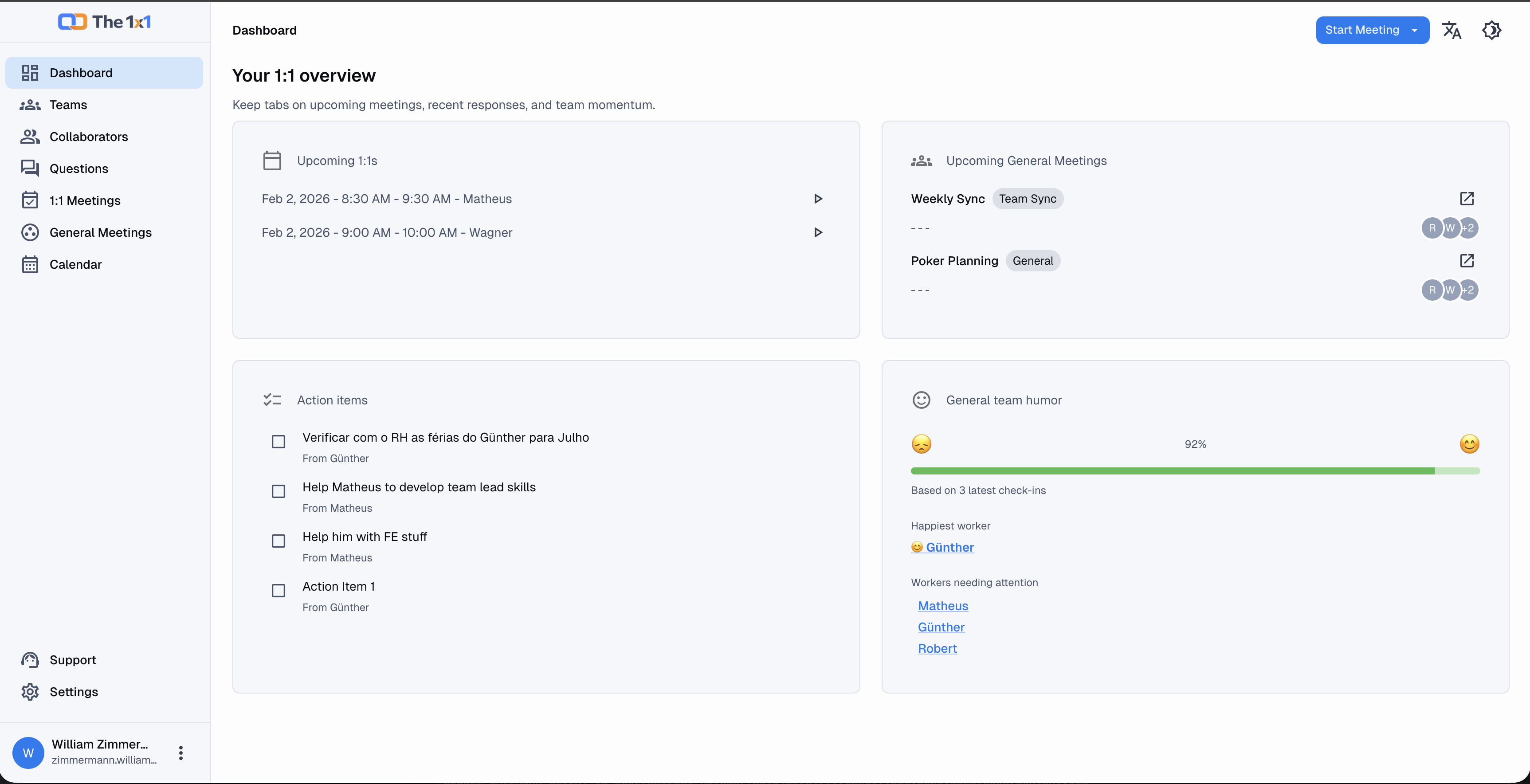
The main dashboard brings together upcoming meetings, open action items, and team mood signals.
1. General Meetings for group conversations
The biggest February addition was the ability to create General Meetings, which work as group meetings with one or more participants.
This meaningfully expands what The 1x1 can manage in a single workflow. You can now centralize:
- group meeting scheduling;
- a shared agenda;
- meeting notes;
- agenda collaboration from other participants;
- action items;
- attendance tracking;
- AI-generated meeting summaries;
- AI-generated meeting minutes.
The real benefit is continuity. Instead of using one tool to invite people, another to take notes, and another to track follow-up, the meeting can now live in one place from start to finish.
How to access it: in the app header, click Start Meeting and choose General Meeting. You can also open General Meetings from the left sidebar.
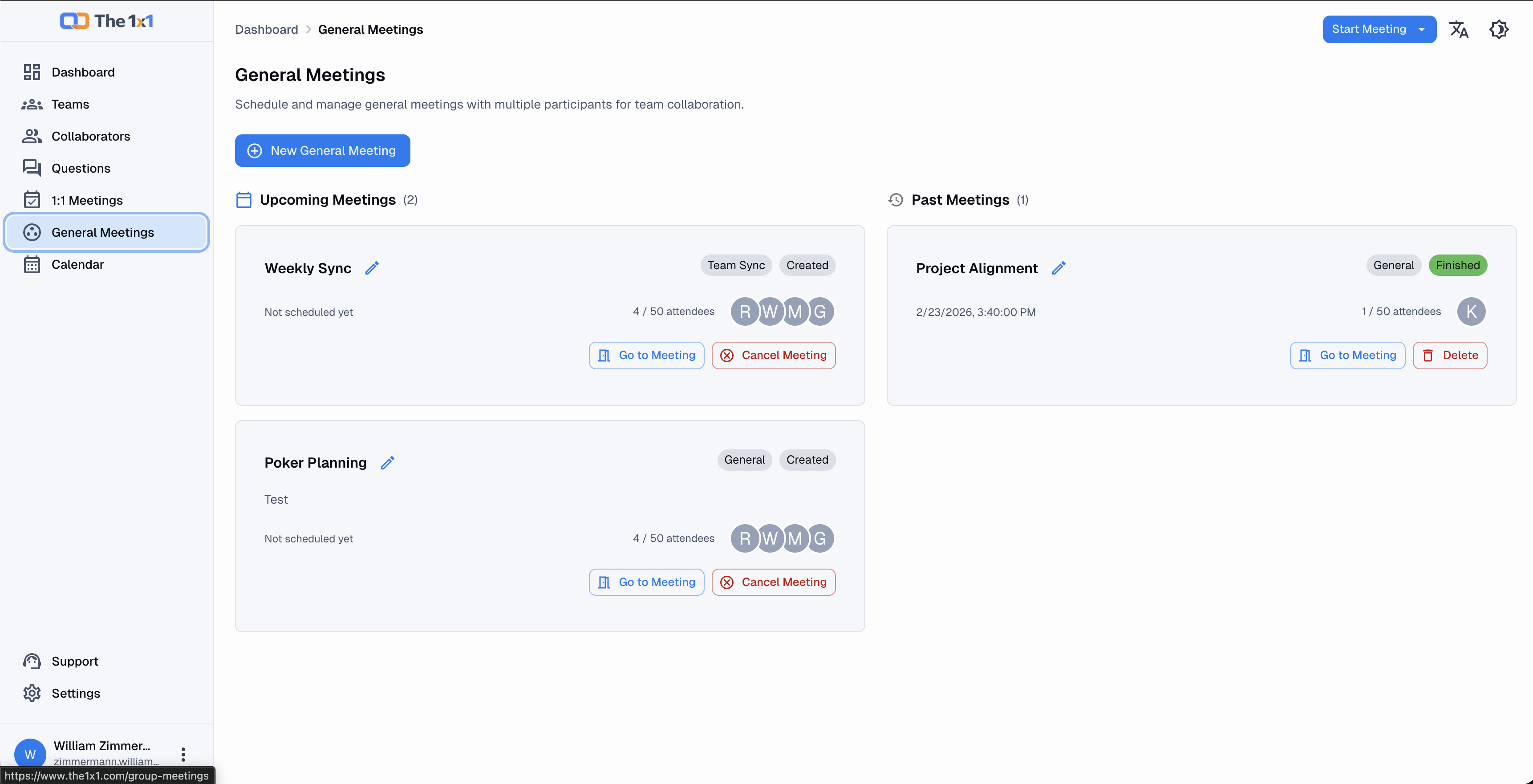 The General Meetings page lets you schedule group conversations and review meeting history.
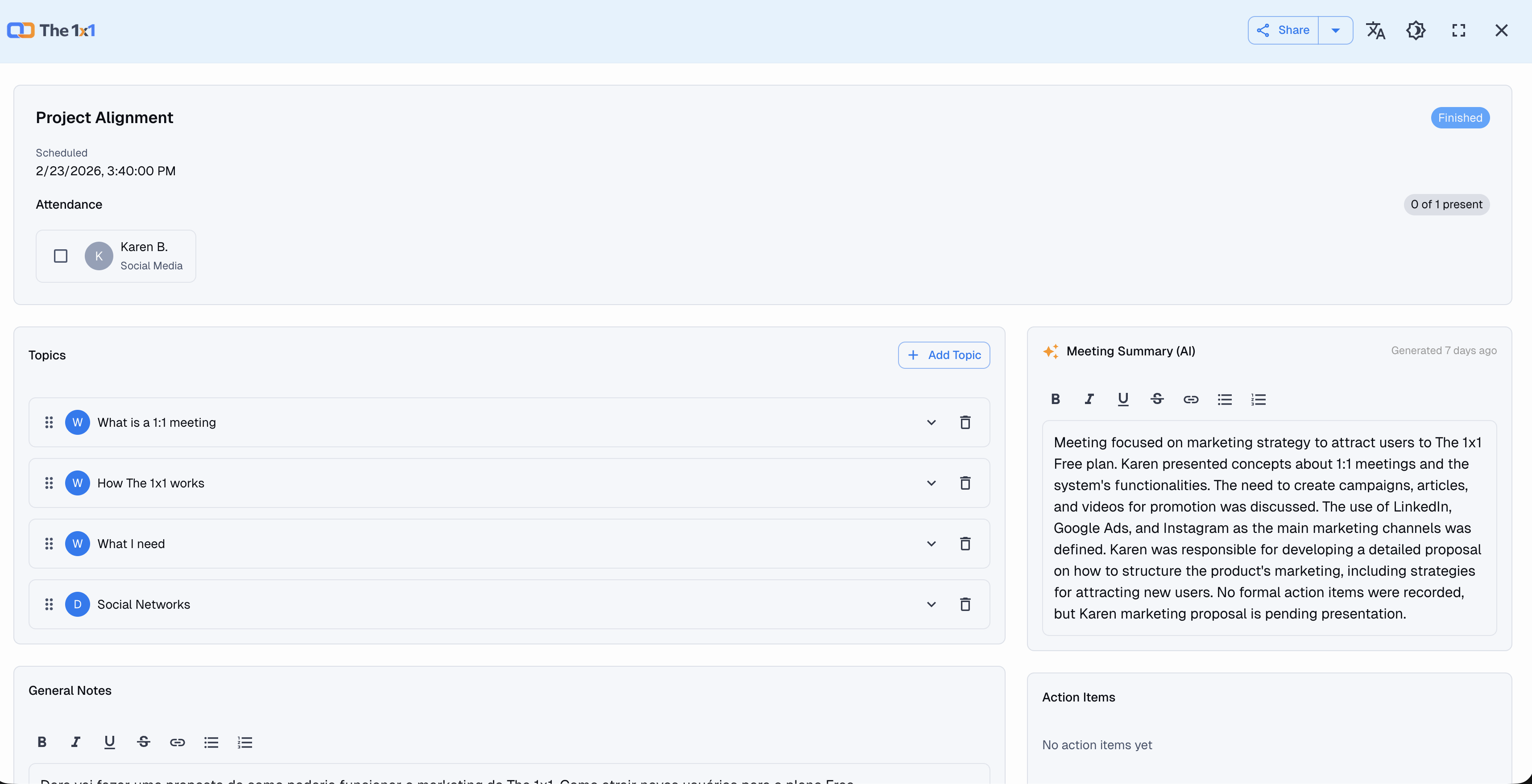 Inside a General Meeting, you can manage the agenda, notes, attendance, action items, AI summary, and AI minutes.
2. AI summaries for 1:1 meetings
Another major February feature was the ability to generate AI summaries for 1:1 meetings.
This gives managers a faster way to consolidate the most important points from a conversation without relying only on manual notes or memory. In recurring meetings, that makes it easier to prepare for the next conversation and preserve context between check-ins.
The summary is not a replacement for the manager's judgment. It is a support layer that turns a long conversation into something easier to review and reuse.
How to access it: open a completed 1:1 Meeting. In the meeting sidebar, use the AI Summary card to generate or regenerate the summary.
3. Audio recording, transcription, and automatic topic-based notes
Beyond summaries, the 1:1 flow also gained a deeper capability: audio recording with transcription and automatic note assignment to agenda topics.
The workflow works like this:
- you record the 1:1 meeting;
- the system generates a transcript;
- speakers can be identified and adjusted;
- the transcript is analyzed topic by topic;
- when the conversation matches an agenda topic, The 1x1 adds automatic notes under that specific topic.
The most important behavior here is this: automatic notes are appended without overwriting manual notes. So if one of your agenda items is “How is your workload right now?” and you already wrote something manually, the transcript-based notes are added underneath, preserving your original notes.
Conversation content that does not clearly match a specific agenda item can also be sent to the general meeting notes area.
How to access it: open a 1:1 Meeting, start the meeting, and use the recording card on the right side of the page. After the audio is saved, click Transcribe with AI. Then use Apply to Notes to distribute relevant content into the matching agenda topics.
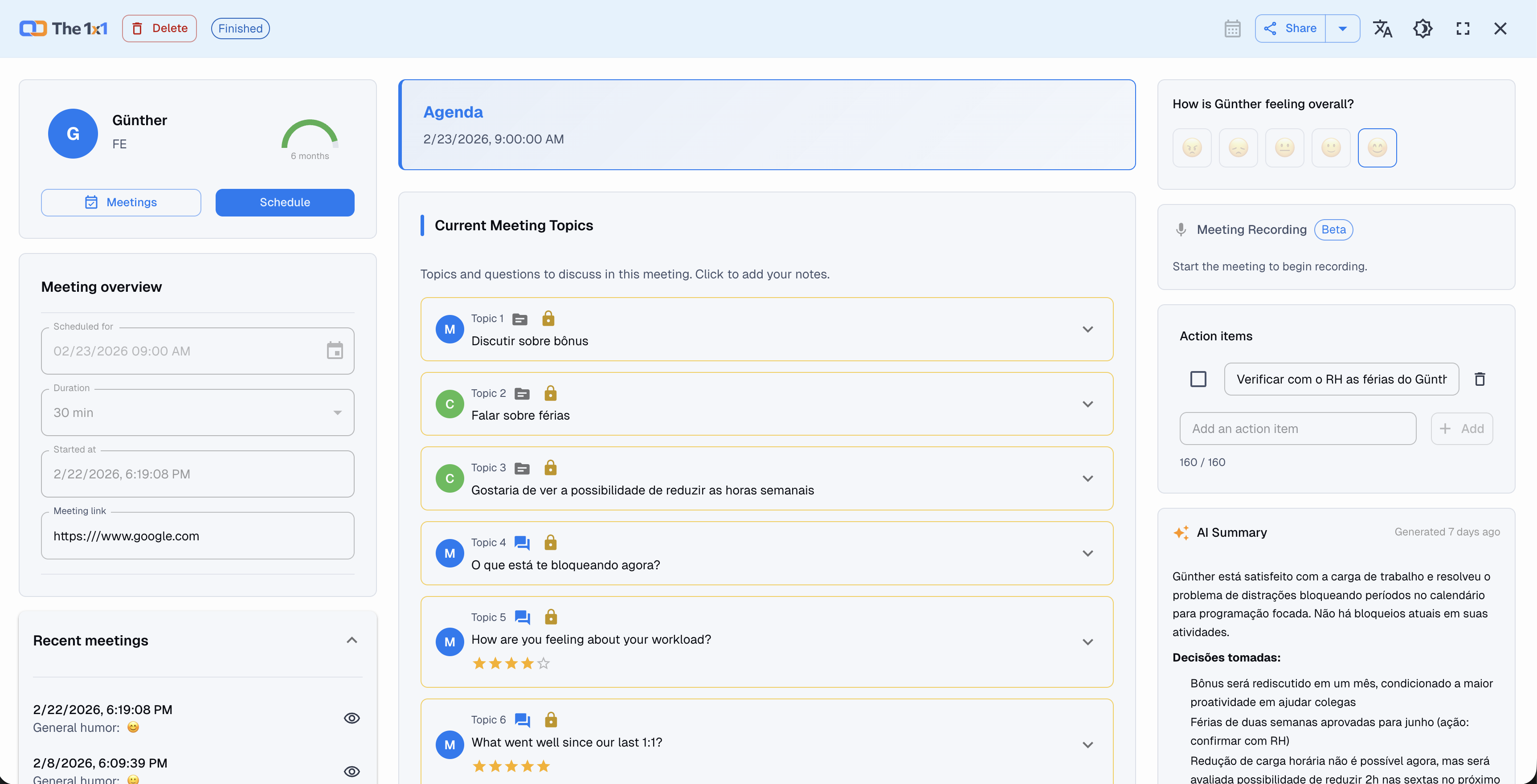 In a 1:1 meeting, you can generate an AI summary, record audio, transcribe the conversation, and apply the transcript back into agenda notes.
4. Predefined questions and topics from templates
The 1x1 also improved the way meeting agendas are built. It is now easier to create predefined questions and topics from existing templates, keeping meeting preparation more consistent and much faster.
This is useful when a manager wants to reuse strong questions across the whole team, structure recurring rituals, or simply start from a proven model instead of writing everything from scratch.
In practice, the question library becomes a team asset:
- you reuse ready-made models;
- create custom questions;
- build a more consistent foundation for future agendas.
How to access it: open Questions from the left sidebar. In that area, you can review the existing library and create new questions based on the available templates and patterns.
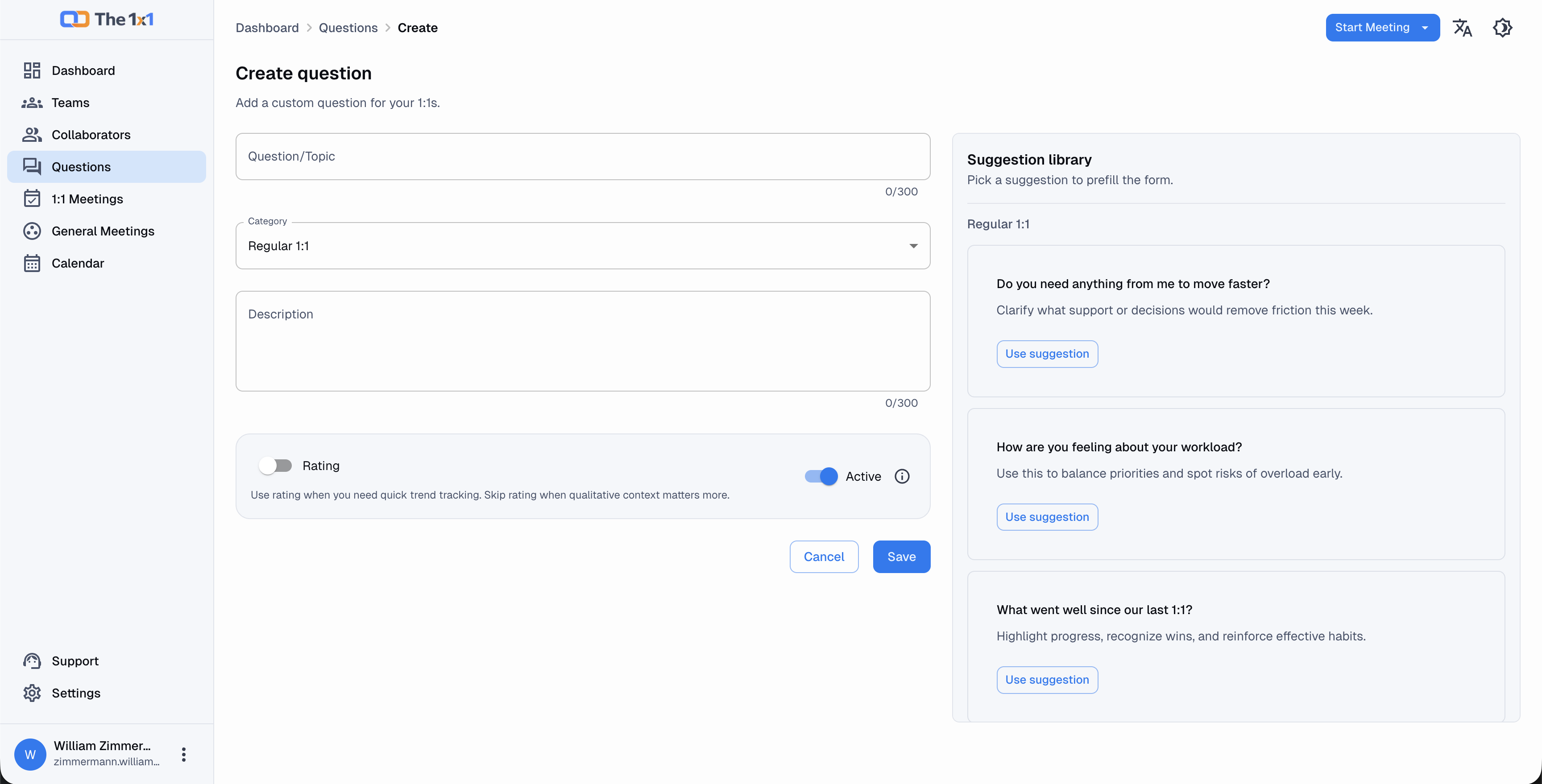 The Questions page makes it easier to start from existing templates and create reusable agenda topics.
5. Google Calendar and Outlook sync
Another important February release was Google Calendar and Outlook sync.
This makes The 1x1 much closer to the way managers actually work. Instead of keeping meeting planning inside one tool and the real schedule somewhere else, you can connect calendars to:
- reduce scheduling conflicts;
- avoid manual rework;
- keep your calendar more reliable;
- sync both 1:1s and general meetings with your existing routine.
For managers who spend their day moving between conversations, this solves a very practical operational problem.
How to access it: open Calendar from the left sidebar and click Connect Calendar. Then connect either your Google Calendar or Outlook Calendar account.
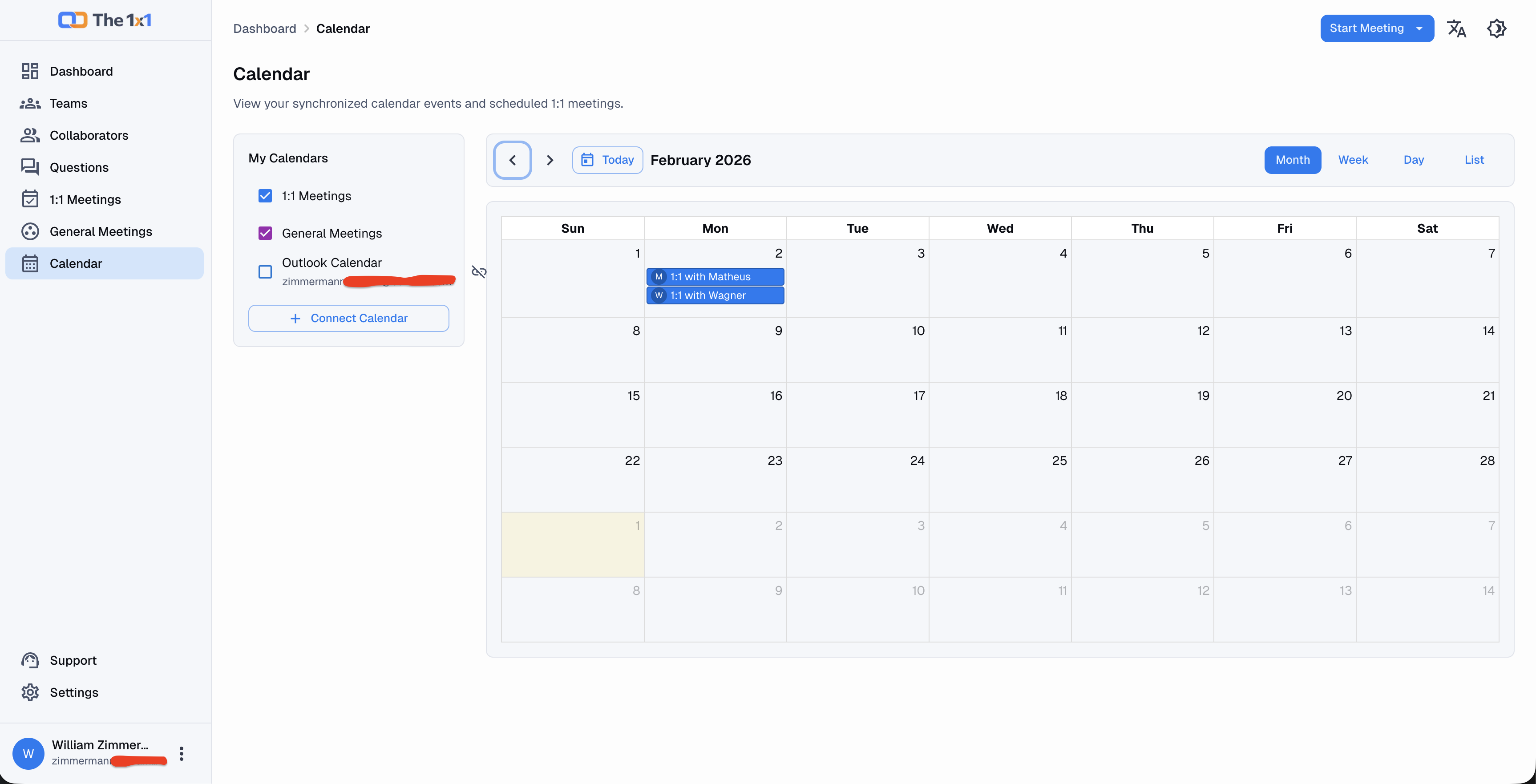 The Calendar area centralizes events and lets you connect Google Calendar and Outlook for ongoing synchronization.
6. Better Teams and Collaborators screens with 6-month mood history
Finally, February brought visual and functional improvements to the Teams and Collaborators screens.
The standout change is the ability to see average mood over the last 6 months, both at the individual and team level. This helps leaders identify strain, stability, or trend changes before the issue becomes harder to address.
That signal does not replace human conversation, but it improves the context behind preventive action. A manager gets a clearer view of when a collaborator or an entire team may need attention.
How to access it: open Teams or Collaborators from the left sidebar. The cards in those pages now display compact mood indicators for the last 6 months.
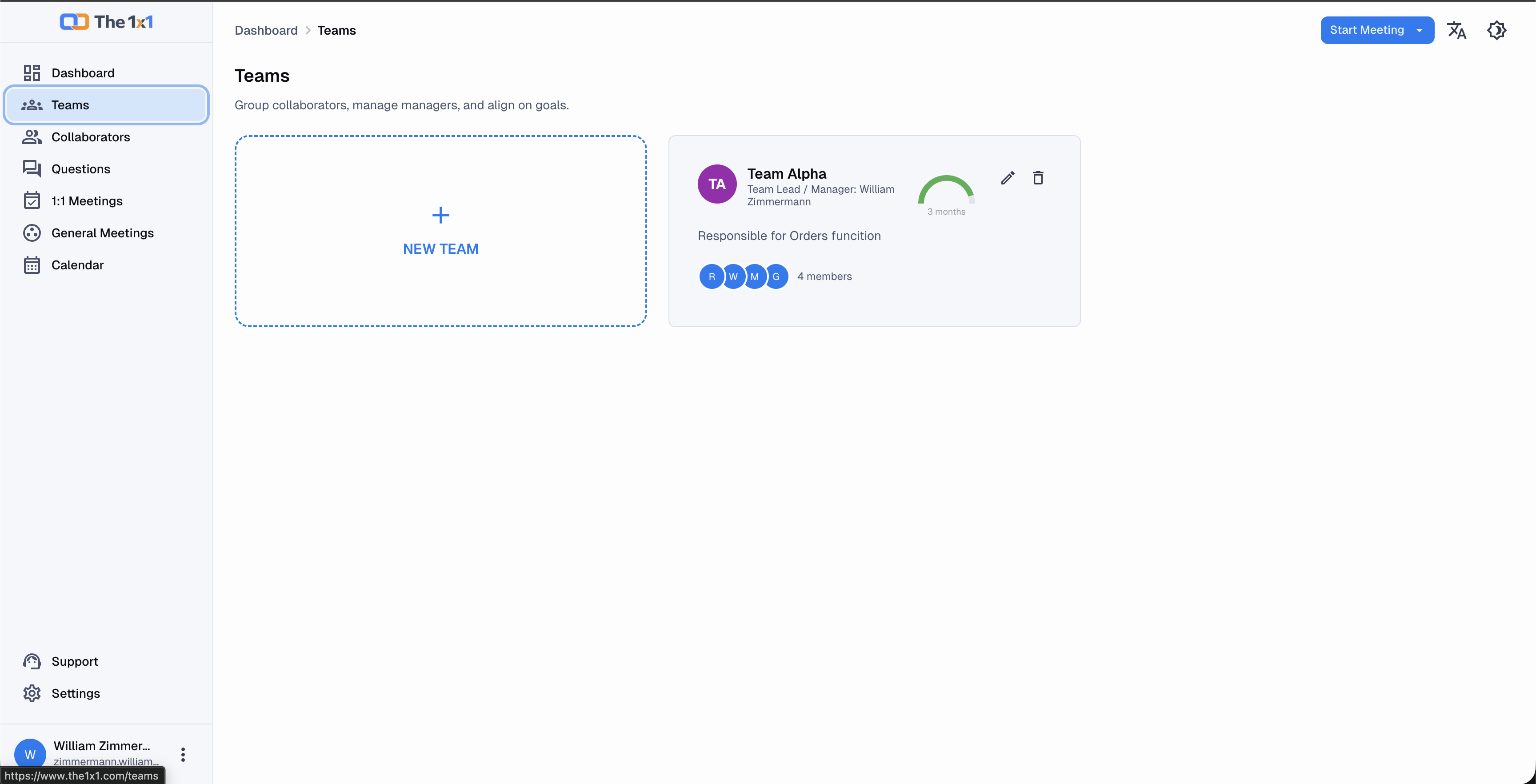 On the Teams page, each card shows an aggregate mood indicator for the last 6 months.
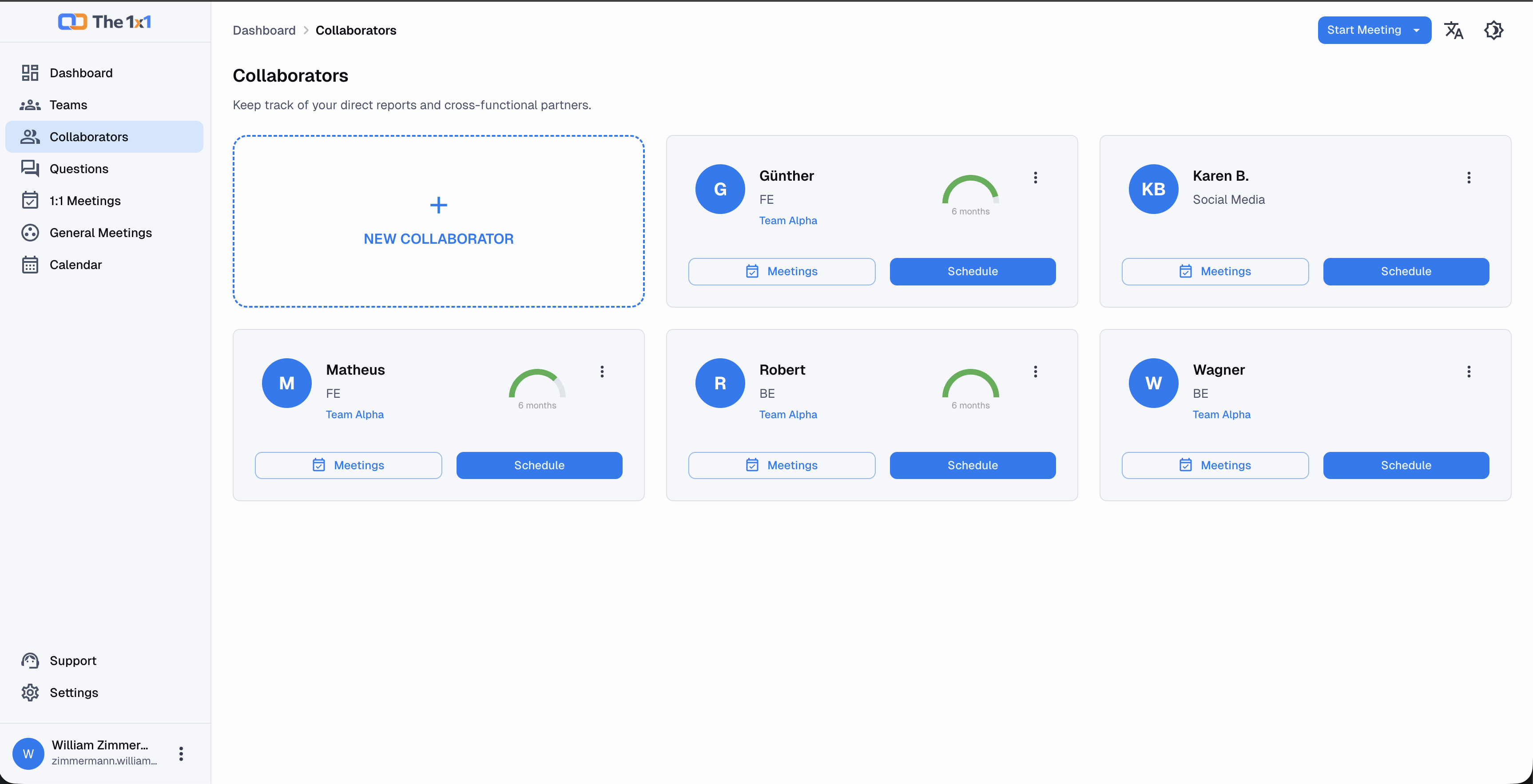 On the Collaborators page, the individual mood indicator helps surface patterns earlier.
Conclusion
v. 1.16.0 clearly marks a step forward for The 1x1: the product became more useful before, during, and after the meeting itself.
It now supports not only structured 1:1s, but also group meetings, collaborative agenda-building, stronger follow-up, calendar automation, mood visibility, and AI workflows that reduce manual effort without losing context.
If you already use The 1x1, the best way to explore what arrived in February is:
- Create a General Meeting.
- Generate an AI summary for a completed 1:1.
- Test recording, transcription, and Apply to Notes.
- Review your Questions library.
- Connect your calendar.
- Open Teams and Collaborators to review the last 6 months of mood data.